Showing posts with label Desain. Show all posts

Friday, August 24, 2012

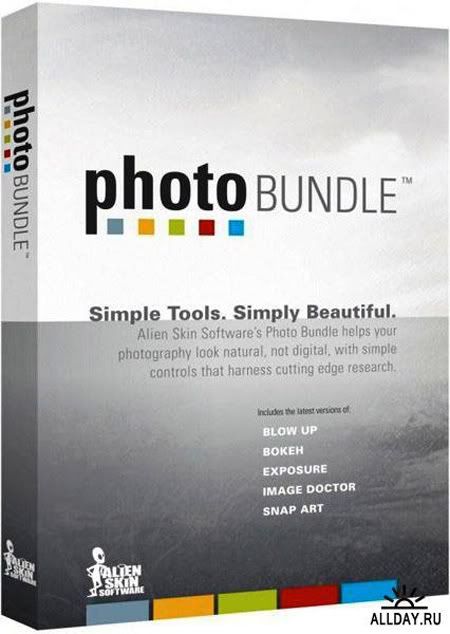
Alien Skin Software Photo Bundle collection for Photoshop 2012 + Keygen | 617 Mb

Photo Bundle collection 6-iN-OnE - Collection of all of the latest released at the moment of image filters Alien Skin Software for Adobe Photoshop. These filters are useful for both novice and professional users of Photoshop. With them you cmozhete easily and accurately process or to decorate your pictures ..

Password: tyoble
Read More

Tuesday, July 17, 2012

Photo Frame Master Full

Photo Frame Master Full + Key | 18 Mb


Photo Frame Master is a photo enhancement tool. Its key feature is a huge set of various frames, which can be added to pictures to make them more original and impressive. Besides the frames, the program supports a variety of masks and clipart objects. Basic editing features, such as flip, rotate, crop, brightness and contrast adjustment, are also available.

Here are some key features of "Photo Frame Master":

Ease of Use:
· No Experience Or Computer Skills Necessary! Extremely Easy-to-Use: Powerful, Fast & Easily.

WYSIWYG Editor:
· Allows you to see your changes immediately, without saving and reopening the file.

Variety of Frame Resources:
· A huge selection of frames, masks, and clipart.

Edit Photo :
· Come equipped with editing tools to arrange layout, rotate, crop images, apply mask effect, apply frame to photos, etc.

Share Photo :
· Share your framed photo through any medium, including desktop wallpaper, printed copies, email and more.

OS : Win XP/2000/Vista/Win 7
Language : English

Installation :-
----------------
1. Unpack
2. Install Apps
3. Use Serial Key
4. Enjoy it !!!!!!!

--------- 100% Clean ------------- 

Password: tyoble
Read More

Thursday, July 12, 2012

Photodex.ProShow.Producer.4.5 Full

Photodex.ProShow.Producer.4.5 Full | 33 Mb

ProShow Producer - program to create professional presentations from Photodex. Utility that supports working with layers and makes it possible to use an unlimited number of layers to any slide. The program supports transparency for PSD files, PNG, TIFF and GIF, makes it possible to use a mask layer, transition effects, gradient fills and fill colors. Photos that make a presentation, you can edit, apply to them the tools like sharpen, change the contrast and color saturation. The presentation may contain signatures, including animations, background music. The project is completed can be stored in one of 14 formats, including HD Video, Flash and QuickTime. This version is the most functional version of the three versions of this program, as well as fully suitable for business use.

New features
- Style slides are preset effects that you can apply to any slide in your show 
- Add notes to the sections, slides, or show 
Editing keyframes with light using a new editor keyframes 
Blur the image or video in your slide show 
Such as Adobe Photoshop, ProShow Producer 4.5 now lets you adjust the layers to each slide 
The new audio sync tool
- Support for animated GIF images
- Installing a layer name
- Rotate or flip video
- Advanced audio controls
- The new settings to automatically save
- Options menu, right-click
-To display the time in seconds into the timeline

Password: tyoble
Read More

SnagIt 11.0.0.207 Full

SnagIt 11.0.0.207 Full | 63 Mb

Snagit is the most useful tool you will find to combine pictures, words, and other objects into a meaningful illustration.

You can now capture any image from your computer screen and turn it into an engaging visual to share with anyone

Use our easy screen capture software to create interesting training documents, collaborative design work, IT bug reports, and more. With its simple screen grab tool and impressive list of image editing features, the possibilities are endless.
It's so easy, you'll catch on in a snap.

Password: tyoble
Read More

Adobe Photoshop Cs 3 Full

Adobe Photoshop Cs 3 Full | 568 Mb

Adobe Photoshop CS3 is the latest image processing software is very powerful. This software will enhance the artistic value and good picture quality while holding the authenticity of a photograph.
Adobe Photoshop CS3 includes all the features you love in Photoshop CS2, so all features available in previous versions will not be lost. Photoshop CS3 accelerates the curve (path) of the imagination for the image. Photoshop CS3 is ideal for photographers, designers, and professional standards such as automatic layer alignment and blending techniques on the composition of the "face".

Ideal for:
       Photographer (photographer)
       Graphic designer (graphic designer)
       Web Designer (web designer)
       Print service providers (print service provider)

By seeing the advantage of the features offered, we can create images in 3D. So we no longer need to install other 3D programs. Simply use Adobe Photoshop CS3 Extended.
Adobe Photoshop CS3 Post time very easy to use You do not need to be installed on the PC, and its capacity is not too heavy just 60 Mb.

Once you download extrack file with winrar or winzip and do the install software
by following these steps

How to install:
1. Download All file and extrack with winrar or winzip or etc
2.
Open the extracted folder and find the file. Exe, double click. Exe to install software,If you are prompted to enter a key software Have a look in the folder that you download
3. If the phase of the software installation is complete close the software running (adobe photoshop cs3),so you can copy the crack to get the full software, adobe photoshop cs3 open the folder you downloaded, find the crack folder and copy the contents of the folder to C:\Program Files\Adobe\Adobe Photoshop CS3.Double click shortcut on the desktop to run the software adobe photoshop cs3

Read More

Adobe After Effect Cs 4 Full

Adobe After Effect Cs 4 Full | 1.23 Gb

Adobe After Effects is primarily used for creating motion graphics and visual effects. After Effects allows users to animate, alter and composite media in 2D and 3D space with various built-in tools and third party plug-ins, as well as individual attention to variables like parallax and user-adjustable angle of observation.

After Effects and some non-linear editing systems (NLEs) are layer-oriented, meaning that each individual media object (video clip, audio clip, still image, etc.) occupies its own track. In contrast, other NLEs use a system where individual media objects can occupy the same track as long as they do not overlap in time. This track-oriented system is more suited for editing and can keep project files much more concise. The layer-oriented system that After Effects adopts is suited for extensive effects work and keyframing. Although other compositing packages—especially ones that employ tree or node workflows, such as Apple Shake—are better suited to manage large volumes of objects within a composite, After Effects is able to somewhat counter the clutter by selectively hiding layers (using the Shy switch) or by grouping them into pre-compositions.

The main interface consists of several panels (windows in versions prior to After Effects 7.0). Three of the most commonly used panels are the Project panel, the Composition panel, and the Timeline panel. The Project panel acts as a bin to import stills, video, and audio footage items. Footage items in the Project panel are used in the Timeline panel, where layer order and timing can be adjusted. The items visible at the current time marker are displayed in the Composition panel.

After Effects integrates with other Adobe software titles such as Illustrator, Photoshop, Premiere Pro, Encore, Flash, and third-party 3D programs like Cinema 4D and Autodesk 3ds Max

Read More

Tuesday, July 10, 2012

Zoner PhotoStudio Pro

Zoner Photo Studio Pro Incl (High compressing) | 73 Kb before exrtack | after extrack 92 Mb

 Zoner Photo Studio Pro is a program a complete set, which can be useful for owners of digital cameras to store and edit these photo.Program can help you upload photos to your computer, remove noise and enhance photos with ease, that you've never seen before. This will help you organize the largest digital archives, and offers many ways to print photos and put them on the web.
One feature of this program is to extract from image data on the location of the photographer at the time of the shooting and the relationship data with mapping programs (eg, Google Maps or Google Earth). In other words, using the appropriate space, then the user in a virtual card, you can find a place where the shooting took place, - the company claims that this is a unique feature of the product.
The program works with digital cameras and includes tools for image editing (changing brightness, contrast, color channels, noise removal, red eye, etc.), you can add text descriptions to images, create a folder of photos in various media, etc.
With this program you can also create layouts and calendars, online photo gallery. PhotoStudio includes tools for creating three-dimensional images and panoramas. In the ninth with a kernel version of the software is completely new, which allows you to work with 16-bit images, the ability to create a DVD-album, extend the functionality of tools for web publishing, and held a number of other improvements. archive contains everything needed to complete the work program.

Password: tyoble
Read More

ACDSee Pro 5.2.157

ACDSee Pro 5.2.157 | 74.48 Mb

ACDSee Pro 5 is a complete photo editor and photo management solution. Designed for professional photographers and advanced amateurs who shoot DSLR and work with the RAW file, ACDSee Pro 5 offers a country-of-the art processor for non-destructive RAW image editing and conversion of RAW images. With Manage, View, Develop, Edit and online mode, it is the only solution that allows photographers to perform all essential duties of the photography workflow and digital asset management (DAM) in one place. ACDSee Pro 5 quickly get you back to doing what you do best: shooting amazing photographs. Achieve total control of your photography workflow and back behind the lens fast with ACDSee Pro 5. ACDSee Pro is built to help you save time in all the key step of your workflow.Each of the four modes - Organize, View, Develop, Edit, Online - the tools that you used during a particular step of your workflow. Create amazing HDR images - LCE (Lighting and Contrast Improvement) single exposure HDR Pro Lighting equipment lighting algorithm is accurate and smart stretch the dynamic range of your images, making them very realistic atmosphere. Target shadows, midtones, or highlights to lighten or darken the Dodge and Burn tool, or selectively add vibrance, saturation or desaturate areas of interest.

ACDSee Pro 5, which develop non-destructive fashion workshop where you can process RAW images and implementing non-destructive adjustments to JPG and TIFF files. With non-destructive editing flexibility of ACDSee Pro 5, you will arrive at the results you want quickly and safely. See appropriate standard is very accurate color, contrast and exposure from the beginning of your RAW processing workflow. A wide color gamut RGB maintain bright colors your camera for true-to-life representation. With color management controls, you can be sure that what you preview reflects the desired color and tone of your RAW conversion.
What's New in ACDSee Pro 5:
• Feel the difference in your photography.
ACDSee Pro 5 provides more features photographers want, giving you more control over your photography workflow.
• Smarter Sharpening.
The effect of sharpening your focus to the edge and texture of non-textured areas.
• Split-toning.
Take your photos to the edge of either the Developing or Edit mode using split-toning to create sepia-colored or black & white, color or add color to the other highlights and shadows to create a dramatic toning effect.
• Dodge and Burn.
Target shadows, midtones, or highlights to lighten or darken the Dodge and Burn tool, or selectively add vibrance, saturation or desaturate areas of interest.
• Drawing Tools.
Put your photos and use drawing tools to add lines and shapes such as squares, circles and arrows to draw attention to certain elements in your image. You can also set the width, the feathers and the mixing of the brush to create subtle or dramatic effects shots.
• Special Effects.
Apply Special effects and enhance the effects of various pre-set quickly and easily with the Special Effects palette, including: - Lomo effect. Apply effects to give the feel of the popular Lomo, retro to your photos. - Collage Effect. Creative displays your photos in a collage print. - Orton Effect. Provided, such as a touch of delicate pastels for portraits and landscapes.
• Color Label.
Use color labels to quickly identify the group in a large number of images for processing. As you review your photos, quickly which to mark the various stages of your workflow. For example, set the file to the color label that you have named as upload, print, reject, develop or edit and then click Set color labels in the panel to quickly display all the files assigned to that label. Or use it in combination with the Group by, or Filter By feature to fix your list. Label colors, such as tags, categories and ratings, is a way to set aside, organize, and group your pictures without moving them into different folders.
• Batch Export tool.
Save the images to your specifications faster than ever with a renewed 5 ACDSee Pro Batch Export. Batch export tool allows you to easily create presets for easy export to export the file to the specified folder, file name, format, color space and dimension.
• Remove the article.
Use the Remove Metadata tool to keep your information private property rights by stripping the EXIF ​​and IPTC metadata to protect the details of your location, camera settings and choice of equipment.

How To Install:  extract downloaded RAR and double click acdseepro.exe. ACDSee Pro 5.2.157 Open the folder you will find a crack folder.please
copy ACDSeePro5.exe to installer folder or copy the folder C: \ Program Files \ ACD Systems \ ACDSee Pro \ 5:03. Run the program and finish.
Password: tyoble
Read More

Adobe Dreamweaver 8 Full

Adobe Dreamweaver 8 Full | 60 Mb

 Macromedia Dreamweaver ® ® 8 from Adobe is an industry leading web development tool that lets you efficiently design, develop and maintain standards-based websites and applications. Dreamweaver 8 provides a powerful combination of visual layout tools, application development features and code editing support.
 Dreamweaver 8 includes many new features to help you create and maintain web sites that range from basic home page for advanced applications that support best practices and latest technologies. For a list of features, see the Dreamweaver page on Adobe's website at www.adobe.comwww.adobe.com / go / dreamweaver.

For Activation:
A. Download files and RAR files extrack
2. Double-click setup.exe follow the instructions to complete.
3. Doble click the keygen.exe to generate code and copy and complete adobe dreamwever
4. Do not update adobe dreamweaver 8 to sign up code is broken.

Password: tyoble
Read More

Macromedia Flash Professional v8.0

Macromedia Flash Professional v8.0 + keygen | 107 Mb

Flash Professional 8 is the industrys most advanced authoring environment for creating interactive websites, digital experiences and mobile content. With Flash Professional 8, creative professionals design and author interactive content rich with video, graphics, and animation for truly unique, engaging websites, presentations or mobile content
Password: tyoble
http://www.mediafire.com/download.php?b9omjogfdu891d9nyh
Read More

Sunday, July 8, 2012

Adobe Photoshop Element 8 Full

Adobe Photoshop Element 8 Full |151 Mb

Adobe Systems Incorporated (Nasdaq: ADBE) today announced Adobe ® Photoshop Elements ® 8 software available for Windows ® and Mac, providing automatic and intelligent photo-editing technology on two platforms. With the latest version of the software No1 selling consumer photo-editing, * Adobe continues to conduct cutting-edge innovation accessible to users who want a powerful yet easy to use to tell an engaging story with their photos.
"With nearly 20 years of innovation under his belt Adobe Photoshop, we can take advantage of industry-leading technology that professionals use and make it accessible to our customers. Elements8," said Doug Mack, vice president and general manager of Consumer and Hosted Solutions at Adobe. "We have simplified the process of editing, without losing anything, and introduced advanced equipment with built-in intelligence to bring the task, within everyone's reach."

Password: tyoble
Read More

Friday, July 6, 2012

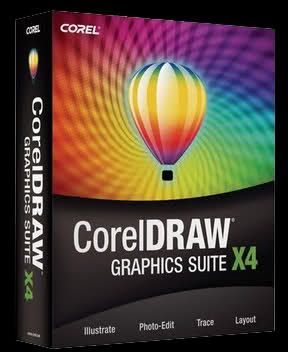
Coreldraw Graphics Suite X4 14.0.0 Full

Coreldraw Graphics Suite X4 14.0.0 Full | 295 Mb

Vector illustration, layout, bitmap creation, image-editing, painting and animation software all in one package

Transform ideas into professional and impressive results using CorelDRAW Graphics Suite X4!

With this comprehensive graphics suite, you can confidently tackle a wide variety of projects - from logo creation and Web graphics, to multi-page marketing brochures, or eye-catching signs.

From new bitmap-to-vector tracing in Corel PowerTRACE, new photo-editing features in PHOTO-PAINT, new suite-wide learning tools, and enhancements in illustration and page layout, this suite combines design capabilities, ease-of-use, and affordability that cannot be matched by any other graphics software.


key features:
Streamline your workflow
· Modernized user interface:
The new, more intuitive user interface features redesigned icons, menus and control

· CorelDRAW ConceptShare:
Share your designs and ideas with colleagues and collaborate with clients in real time

· Corel PowerTRACE X4:
Save time and enjoy more control with this enhanced and powerful bitmap-to-vector conversion solution

· Windows Color System:
Closely match colors between Corel and Microsoft applications

· Adobe Color Management Module:
Match colors between Corel and Adobe applications

Find your design assets
· Enhanced Windows Vista integration:
Organize projects and search for files

· New, editable content:
10,000 clipart images (40% new), 1,000 high-quality photos and more specialized fonts: includes 75 Windows Glyph List 4 (WGL4) with support for Greek, Cyrillic and other international character sets, as well as single-line engraving fonts and OpenType cross-platform fonts

· Redesigned New From Template dialog box:
Easily find the right template for any job, and browse by keyword or industry

· 80 professionally designed templates:
With keywords, notes about design choices, output tips and ways to maintain good design when customizing templates

Accelerate layout and text editing
· Interactive tables:
Create and import structured layouts for text and graphics

· Independent page layers:
Vary page layout within a multipage document

· Live text formatting:
Preview formatting changes before applying them

· Integration with WhatTheFont:
Quickly identify fonts

· Mirror paragraph text:
Mirror text horizontally or vertically, or both

Get inspired and gain knowledge
· Welcome screen:
Access recently used documents, templates, learning tools, and inspiring designs from one location

· CorelDRAW Handbook - Insights from the Experts:
View impressive projects and learn from seasoned design professionals

· Training videos:
Delve into hours of new training videos

· CorelTUTOR:
Access online, project-based instruction with new tutorials

· CorelDRAW.com:
Share designs, ideas and inspiration with this online community

Discover advanced image-editing features
· Support for RAW camera files:
Interactive controls let you preview adjustments in real time

· Straighten images:
New, interactive controls make it fast and easy

· Histogram feedback:
Available with more features than ever before

· Enhanced Tone Curve dialog box:
Lets you adjust images with more precision

· Streamlined page sizes:
Reflect the geographic location of the user better
For install:
-Install
-DO NOT run application afterwards!!!
-Copy the 3 .dll files to (C:\Program Files\Corel\CorelDRAW Graphics Suite X4\Programs)
-Run App!


Password: tyoble
Read More

Sunday, July 1, 2012

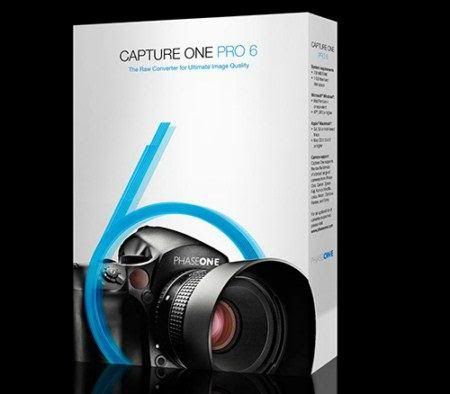
Phase One Capture One PRO v6.3 Multilingual 32/64

Phase One Capture One PRO.v6.3 Multilingual 32/64 | 283 Mb

Capture One Pro - one of the most powerful professional converters digital photos in RAW format that supports a wide range of modern cameras. The program allows for single and batch mode to convert on the fly RAW files in full-TIFF (RGB / CMYK) and JPG format, adjust white balance, efficiently and reliably "overexposed" or "nedosvechennye" snapshots, fine-tune the sharpness of the image and eliminate color noise.

Major achievements Capture One Pro - is an opportunity to fast batch processing images with pre-specified settings without interfering with the routine process of the photographer. This is convenient because if you removed a series of related images, their specifications should be the same and do not differ by the presence / absence of noise, sharpness, color settings, camera profile. Converter can save presets, which if necessary can be quickly seized. For example, you can ultimately optimize the translation of b / w your settings sharpness and contrast, if you are fond of the "classical" picture and immediately let pictures to print, without spending a whole evening to carry out repetitive actions every photograph in the series.

"Capture One - a new word in the processing of RAW", said Jan H. Christiansen, marketing director of Phase One. "Computer processing of pictures today - is no less art than processing film in a dark room. We do not offer comprehensive solutions to the problems photographers taking pictures, we just help them to manage quality photos, which they did."
Capture One Pro makes the difficult process of handling RAW-files simple, intuitive and exciting. Simple tools, simple menu and easily understandable symbols. The program is compatible with many other popular applications, for example, users can process RAW in Capture One, then to make final preparations for the processing and printing in Adobe Photoshop.
* New user interface gives maximum attention to the images. In the center of the workspace - picture, and not sliders, sliders, and various kinds of service information. A dark background allows more convenient to work with photo;
* Work with 12 images simultaneously at full resolution;
* For a single RAW image can be made several virtual versions to compare the results of one or another correction - on disk is stored only one original RAW;
* Gentle use policy license code on multiple computers.
* Recovery of details in shadows and highlights, the expansion of dynamic range;
* Import and export image format DNG;
* A new architecture program offers a faster image import, processing and export
Capture One Pro is created on the principle of all-in-one, reducing the need for post processing of images, which in practice means a requirement of using Photoshop to process images. Capture One Pro is similar to Lightroom.

Earlier direct capture of images from the cameras only take families to specialized software, and now Capture One 4.8.2 PRO can take snapshots directly from your camera or with a cable connection, or through the forwarding of Wi-Fi, which becomes popular with professional dSLR. Ie when using Wi-Fi transmitter in the studio photographer takes the model images at this point is automatically forwarded to standing near a laptop, where they capture Capture one and then applies the selected photos set to those obtained from the camera images. At the end of shooting, the photographer and model suited to the display, select the most successful (already processed) images. This saves time, which can be spent on another series of photos.

Color Management and Preferences

Globally you can set various preferences including full color management support. Capture One DSLR comes provided with profiles for the EOS-1D and EOS-1Ds under various light conditions. You can also select destination color profiles for output, web and proof destinations as well as your monitor profile. There are also a wide range of preferences to choose from, click on the reduced image below to see them in more detail.

Operation and Workflow

Operationally you can work on previous shot and stored images or capture directly from the camera 'into' a collection live in the Capture One DSLR application. This feature wasn't tested at this stage.

As you change settings such as color balance, sharpening etc. these are stored by Capture One in its own database (remembered on a per image basis). These settings can be saved and loaded as well as applied to selected images, a batch 'development' or an entire collection. Settings are arranged into three of the five function tabs on the function pane, each function pane is described below.

Below you will find two versions of the same EOS-1Ds RAW image output as JPEG from both Capture One DSLR and Canon's own File Viewer Utility. Remember that Capture One DSLR is still in its Beta form and thus image quality and performance may not be true to the final version. I do like the overall tonal balance and color response of the Capture One DSLR image, very nice.

Read More

Saturday, June 30, 2012

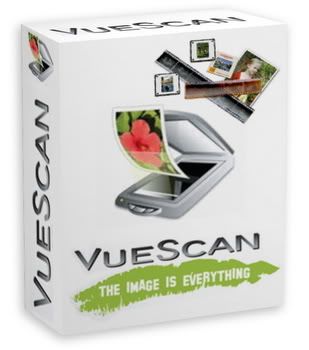
VueScan v9.0.47.0 + SERIAL [Windows 32 Bits Only]

VueScan v9.0.47.0 + SERIAL [Windows 32 Bits Only] | 6 Mb


VueScan is a scanning program that works with most high-quality flatbed and film scanners to produce scans that have excellent color fidelity and color balance. VueScan is very easy to use, and also has advanced features for restoring faded colors, batch scanning and other features used by professional photographers.

VueScan changes nothing on your system, installs nothing in your operating system and all other scanner software will continue to function.

VueScan, the world s most popular scanner software, is used extensively by photographers, home users, scanning services and corporations. VueScan is a scanning program that works with most high-quality flatbed and film scanners to produce scans that have excellent color fidelity and color balance. It is very easy to use, and also has advanced features for restoring faded colors, batch scanning and other features used by professional photographers.

VueScan changes nothing on your system, installs nothing in your operating system and all other scanner software will continue to function. VueScan increases your productivity and saves you money. VueScan has advanced scanning options, powerful features, and greatly improves your scans with superior color accuracy and better color balance. VueScan supports more than 700 scanners and 209 digital camera raw files and takes about 5 minutes to download and install.

Features:
* Works with 1200 flatbed and film scanners
* Improves your productivity and quality of scans
* Has been downloaded more than 5 million times
* Create raw scan files
* ICC profiles and color spaces
* IT8 color calibration

For Install check folder and follow instruction

Password: tyoble
Read More

Monday, June 25, 2012

Adobe Dreamweaver Cs6 Full

Adobe Dreamweaver Cs6 Full | 284 Mb

Adobe Dreamweaver (formerly Macromedia Dreamweaver) is a proprietary web application development was originally created by Macromedia. It is now developed by Adobe Systems, which acquired Macromedia in 2005.

Dreamweaver is available for Mac and Windows operating systems. The latest version has incorporated support for web technologies such as CSS, JavaScript, and various server-side scripting languages ​​and frameworks including ASP (ASP JavaScript, ASP VBScript, ASP.NET C #, ASP.NET VB), ColdFusion, Scriptlet, and PHP

Features :

  • Fluid grid layout
  •  Improved FTP performance
  •  Adobe Business Catalyst integration
  •  Enhanced jQuery Mobile support
  •  Update PhoneGrap Support
  •  Css3 transitions
  •  Update multisreen preview panel
System Requirements

- Intel Pentium 4 or AMD Athlon® 64 processor
- Microsoft Windows XP with Service Pack 2 (Service Pack 3 recommended); Windows Vista® Home Premium, Business, Ultimate, or Enterprise with Service Pack 1; or Windows 7
- 512MB of RAM
- 1GB of available hard-disk space for installation; additional free space required during installation (cannot install on removable flash storage devices)
1280×800 display with 16-bit video card
- Java™ Runtime Environment 1.6 (included)
- DVD-ROM drive
- QuickTime 7.6.6 software required for HTML5 media playback

For Activation :
1. Download and extract the RAR file adobe dreamweaver cs6
2. Decide if you want to install Internet network
3. Double-click to perform the installation Dreamweaver_12_LS6.exe
4. After the install is complete, please close your first dreamweaver sc6
5. Copy amtlib.dll 32 bit/64 bit in the crack folder to C :/ /programfiles /adobe/adobe dreamweaver cs6
6.  Open the shortcut on the desktop adobe dreamweaver cs6 and finish,,,
  
Password : tyoble
Read More

Saturday, June 23, 2012

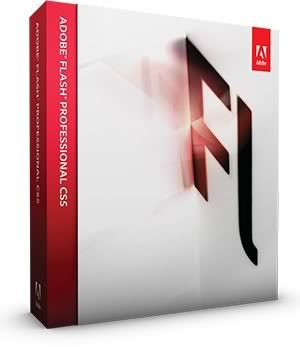
Adobe Flash Professional CS5 Full

Adobe Flash Professional CS5 | 1.28 Gb

Adobe Flash CS5 Professional software is the industry standard for interactive authoring and delivery of in-depth experience that is consistently present in all personal computers, mobile devices, and screens of virtually any size and resolution. Adobe Flash Professional CS5 software combines expressive design features such as multilingual text engine new and more realistic effect of inverse kinematics with timesaving features such as the development of extensible code snippets and enhanced authoring ActionScript option.

What's new in Flash Professional CS5

#. Code Snippets panel new Reduce the ActionScript 3.0 learning curve and enable greater creativity by injecting prebuilt code into projects.
#. ActionScript editor Speed the development process with an improved ActionScript editor, including custom class code hinting and code completion.
#. Creative Suite integration Enhance productivity when using Adobe Creative Suite components such as Adobe Photoshop , Illustrator , InDesign , and Flash Builder.
#. Flash Builder integration Use Flash Builder as your primary ActionScript editor for Flash Professional projects.
#. Video improvements Streamline video processes with on stage video scrubbing and a new cue points property inspector.
#. Design immersive interactive experiences Import your design from Photoshop CS5 Extended or Illustrator CS5 and then add interactivity and motion with Flash Professional to bring your work to life.
#. XML based FLA source files Manage and modify projects using source control systems and collaborate on files more easily.
#. Wide content distribution Publish content virtually anywhere, using Adobe AIR for desktop applications and mobile platforms including the iPhone , or Adobe Flash Player for browser based experiences.
Subject to Apple's current requirements and approval.
#. Spring for Bones new Create more realistic inverse kinematic effects with new motion attributes added to the Bones tool.
#. Deco drawing tools Add advanced animation effects with a new comprehensive set of brushes for the Deco tool.

Password: tyoble
Read More